Group comparison
Group comparison capabilities let you check whether the average of a numeric feature differs between groups, telling you how large the difference is and how confident you can be that it's real. Choose the method that matches your comparison:
- T-test: two groups.
- ANOVA: three or more groups.
- Control comparisons: several groups, each against one shared control.
A box plot runs the same comparisons on the chart: it shows the p-value of the test that fits the groups, and its on-chart controls compare every group with a control.
T-test
The two-sample t-test determines whether the mean of a feature differs between two groups. For three or more groups, use ANOVA instead.
- Open a table.
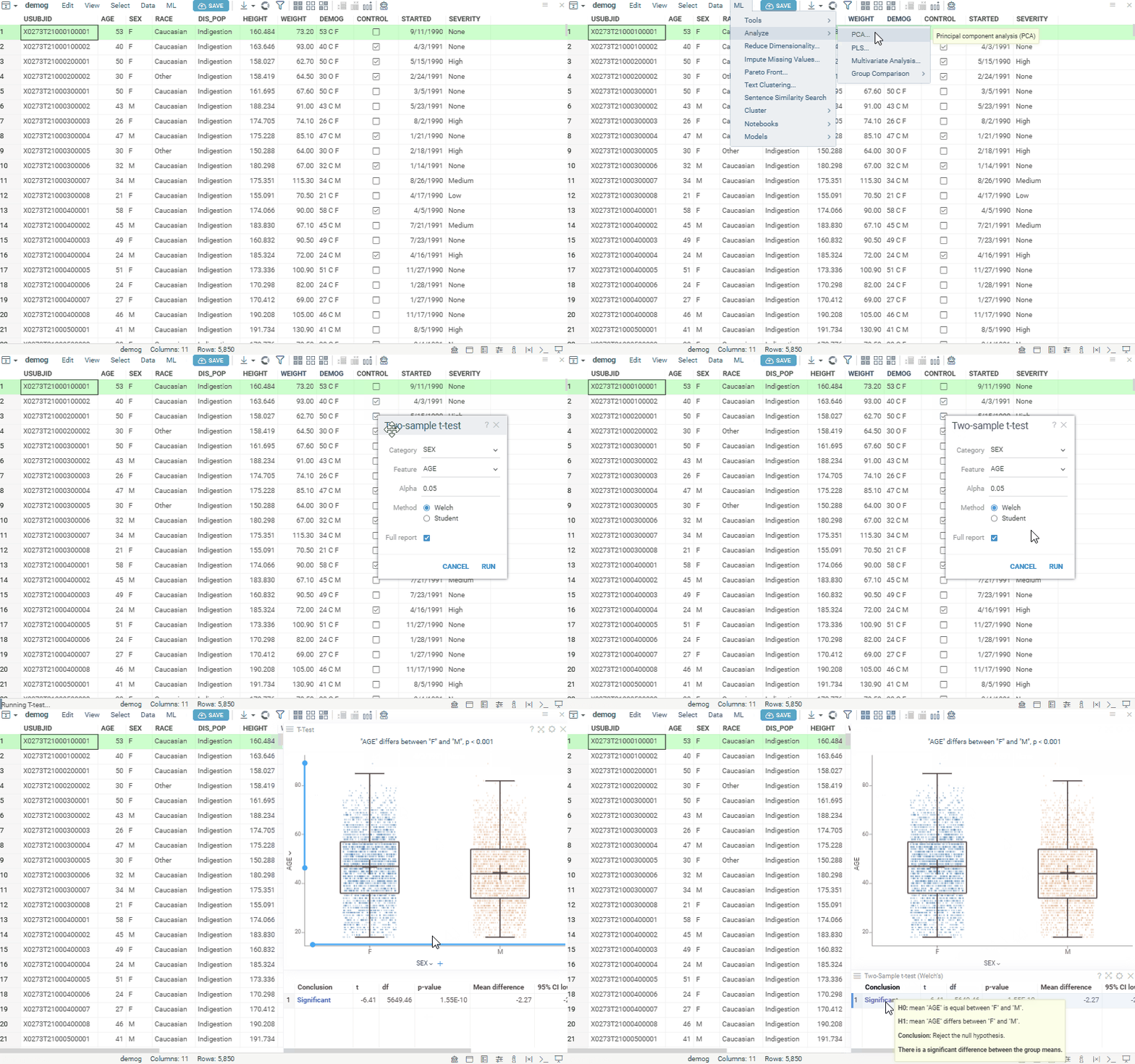
- Run Top Menu > ML > Analyze > Group Comparison > T-test.... A dialog opens.
- In the dialog, specify:
- the column defining the two groups (in the
Categoryfield) - the column with feature values (in the
Featurefield) - the significance level (in the
Alphafield) - the analysis method (in the
Methodfield):WelchorStudent - whether to add the results table (the
Full reportcheckbox, on by default)
- the column defining the two groups (in the
- Click
Run. You get:- a box plot showing the distribution of values by category
- a results table (when
Full reportis on) reporting the t-statistic, degrees of freedom, p-value, mean difference with its confidence interval, and effect size (Cohen's d and Hedges' g)
ANOVA
Analysis of variance (ANOVA) determines whether the examined factor has a significant impact on the studied feature.
- Open a table.
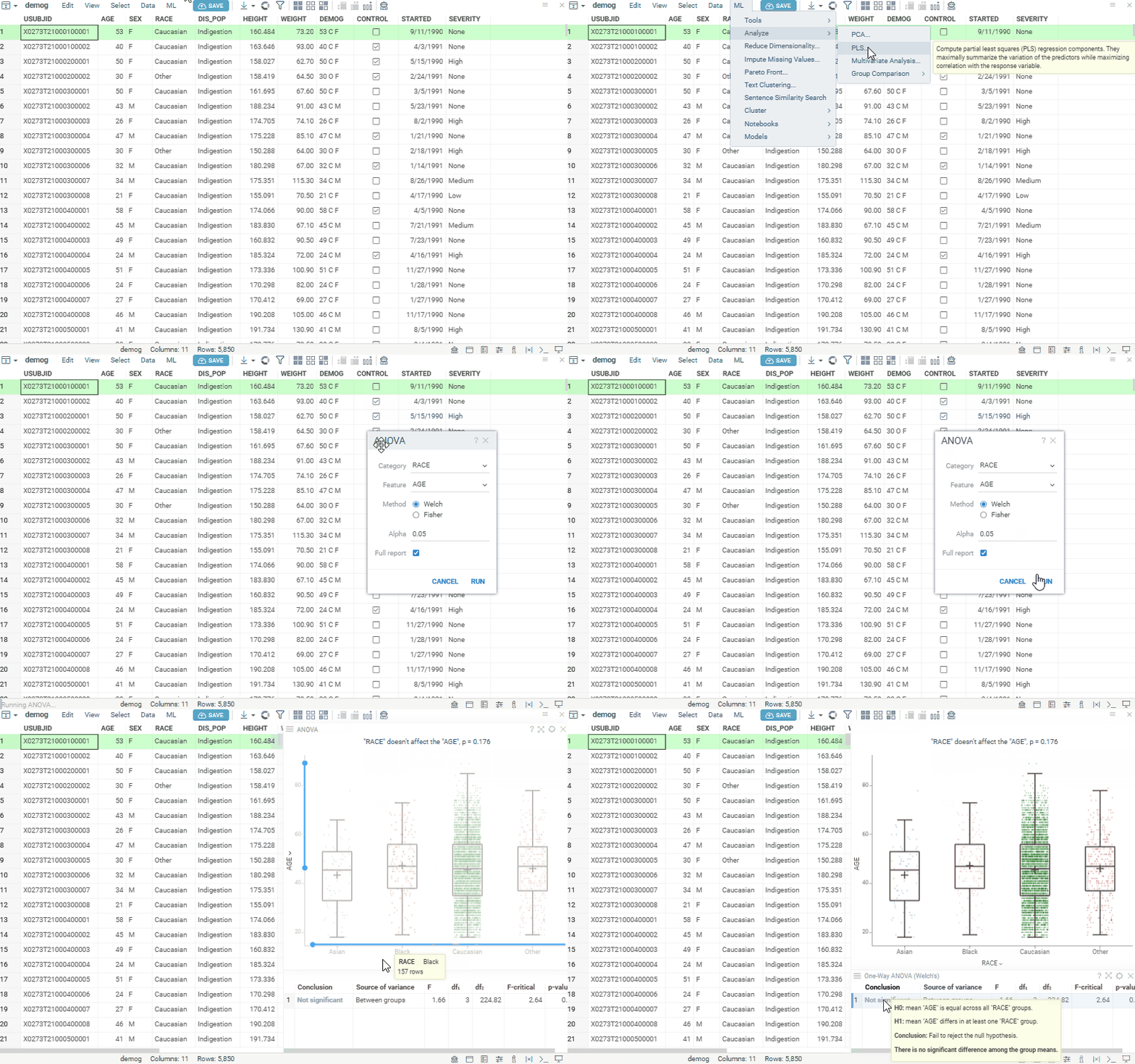
- Run Top Menu > ML > Analyze > Group Comparison > ANOVA.... A dialog opens.
- In the dialog, specify:
- the column with factor values (in the
Categoryfield) - the column with feature values (in the
Featurefield) - the analysis method (in the
Methodfield):WelchorFisher - the significance level (in the
Alphafield) - whether to add the results table (the
Full reportcheckbox, on by default)
- the column with factor values (in the
- Click
Run. You get:- a box plot showing the distribution of values by category
- a results table (when
Full reportis on) with the ANOVA computations
Control comparisons
Control comparisons test each group against a single control, correcting for the multiple comparisons. Use them in dose-response or toxicology studies, where every treatment is compared with one reference group.
- Open a table.
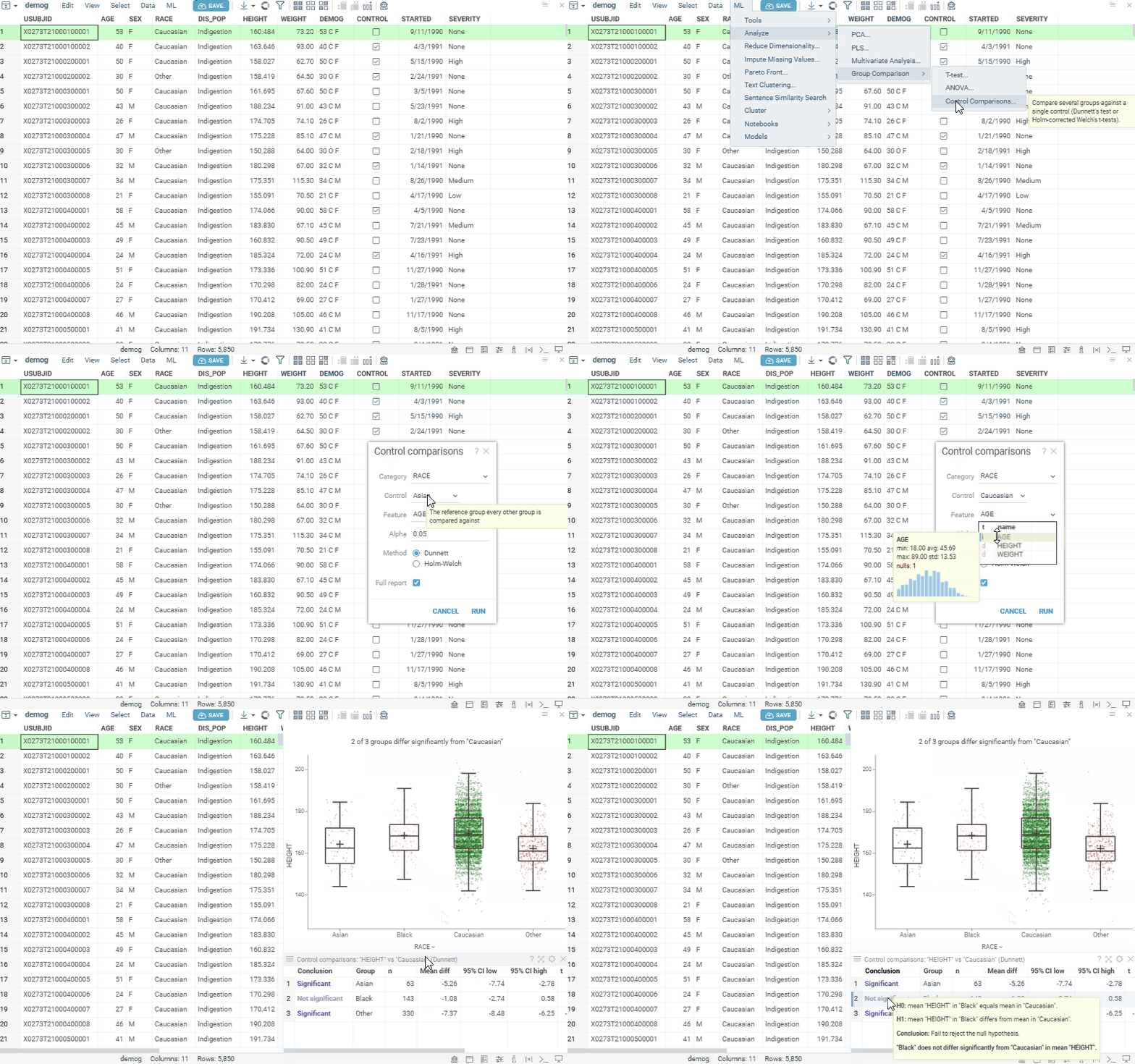
- Run Top Menu > ML > Analyze > Group Comparison > Control Comparisons.... A dialog opens.
- In the dialog, specify:
- the column defining the groups (in the
Categoryfield) - the reference group every other group is compared against (in the
Controlfield) - the column with feature values (in the
Featurefield) - the significance level (in the
Alphafield) - the analysis method (in the
Methodfield):DunnettorHolm-Welch - whether to add the results table (the
Full reportcheckbox, on by default)
- the column defining the groups (in the
- Click
Run. You get:- a box plot showing the distribution of values by category
- a results table (when
Full reportis on) with one row per group compared against the control
See also: