Grokky
Grokky is the AI agent built into Datagrok. Describe a task in plain language, and Grokky does it in your live session, with your permissions, while you watch.
Grokky runs on the model your organization chooses. It works with Anthropic, OpenAI, OpenRouter, Microsoft Azure, Amazon Bedrock, Databricks, or any compatible endpoint, so your data stays with the provider you already trust. Under the hood, Grokky uses the open source Hermes Agent and Datagrok's own skills and tools, which teach it how the platform works.
AI assistant
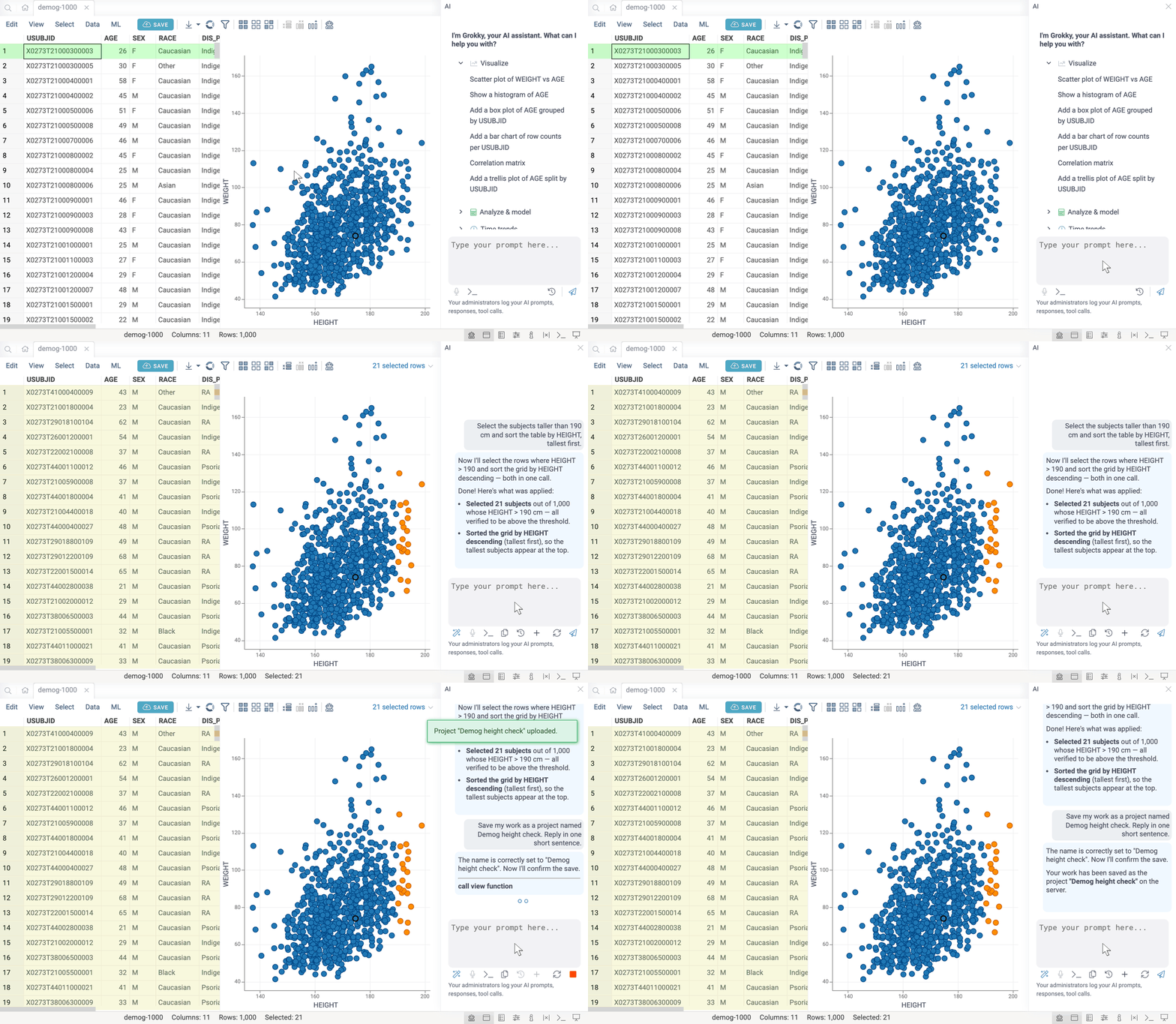
The AI assistant is a chat panel that knows your current view and tables. You can:
- Ask questions about your data
- Build and change visualizations
- Transform data and run chemistry and biology tools
- Write SQL in the query editor and scripts in the script editor
- Find, open, save, and share files and projects
- And much more
How to use
- Open
- Chat
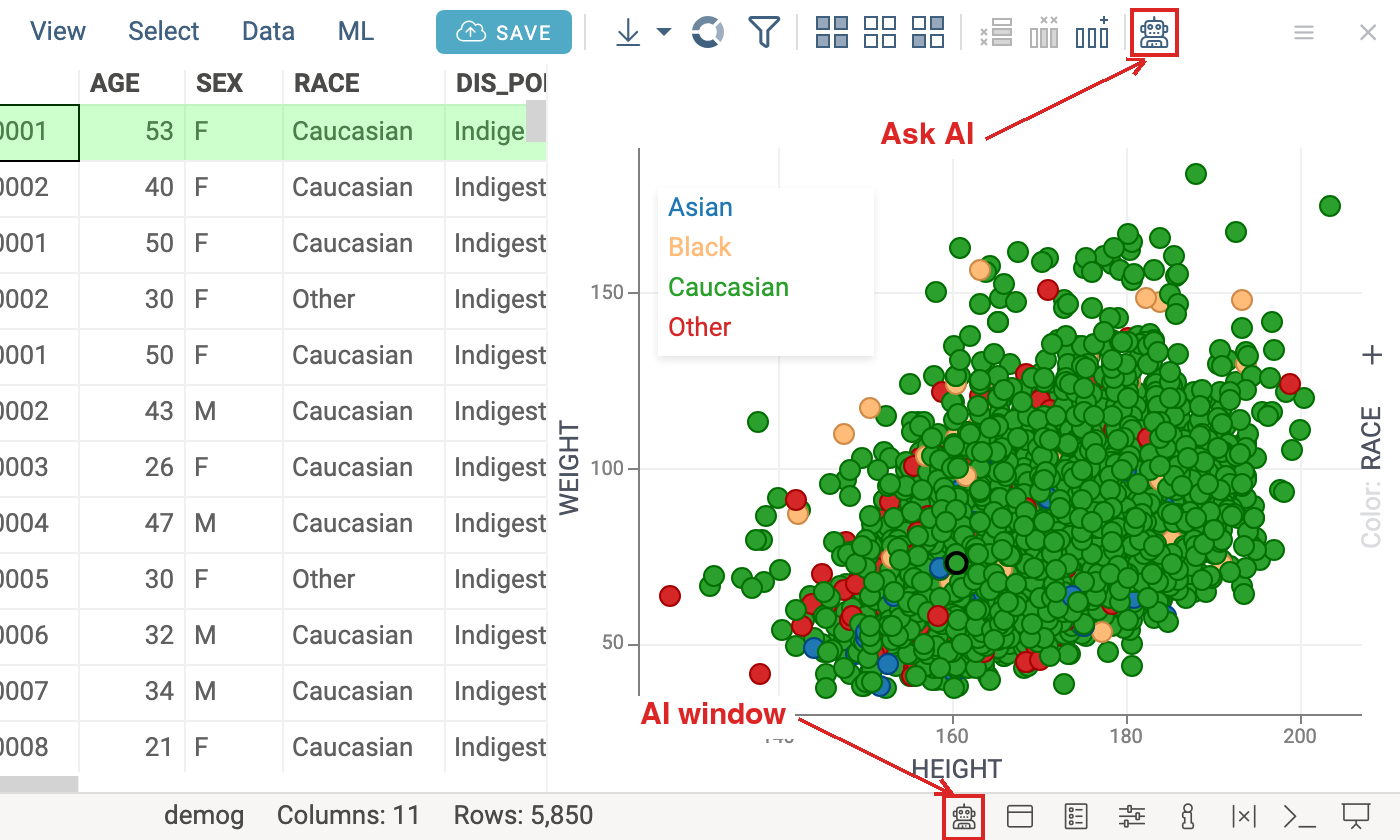
To open or close the panel, press Ctrl+I, click Ask AI on the table view Ribbon, or click the AI icon in the status bar.
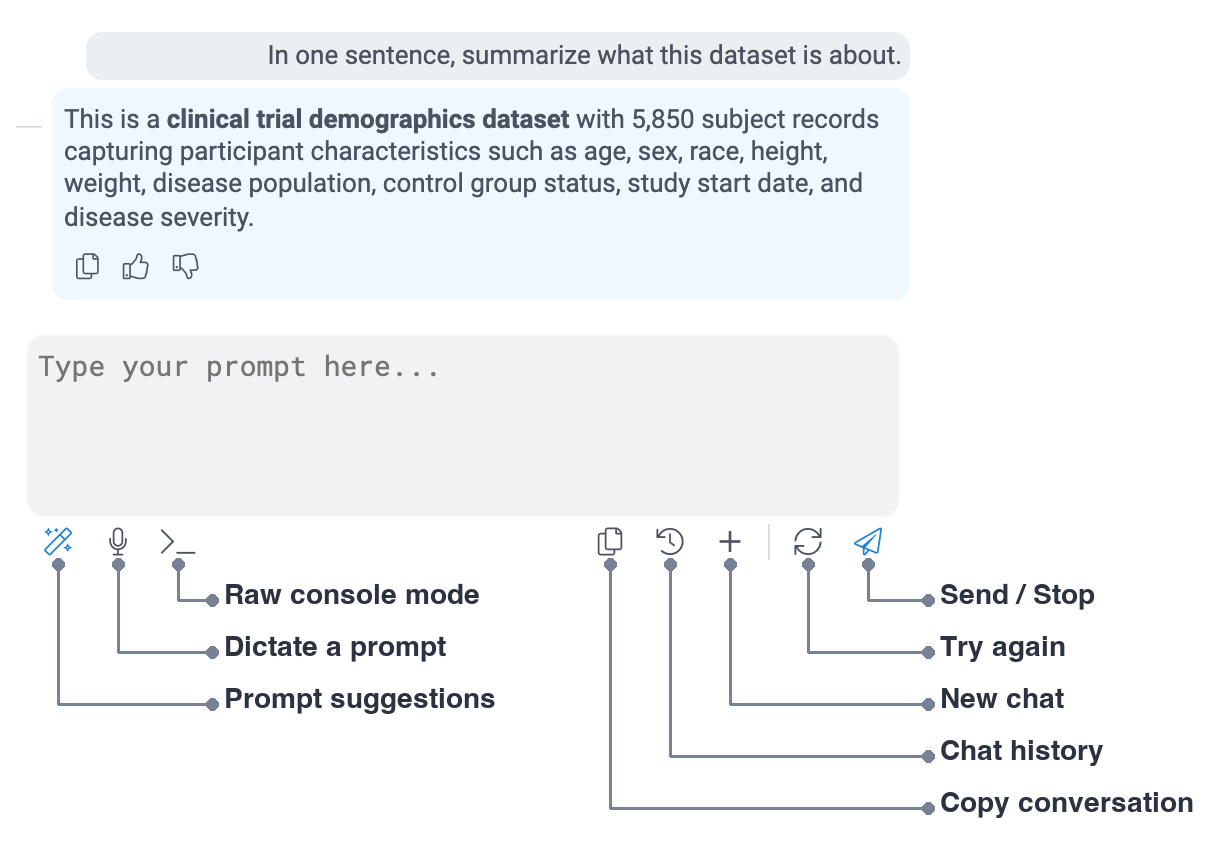
Type a request in the prompt box and press Enter. To give Grokky a file, query, or project to work with, drag it into the prompt box.
Power Search
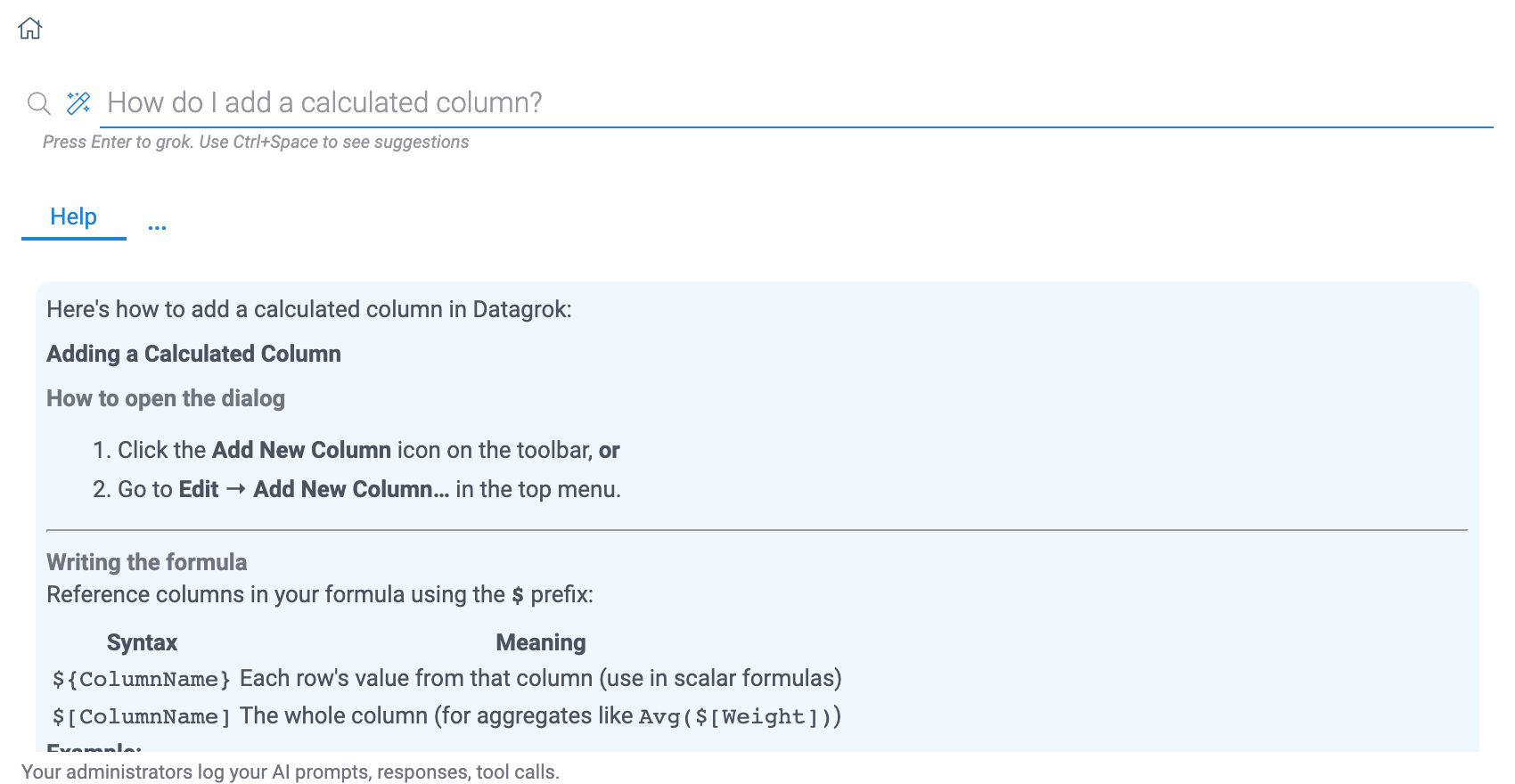
Grokky also answers in Power Search on the Home Page. It picks one of three ways to answer:
- Help: answers a question from the documentation
- Execute: runs a chain of functions, such as "ADME properties of CHEMBL1234"
- Query: runs the saved query that matches the request, such as "Bioactivity data for shigella"
Setting up Grokky
An administrator sets up Grokky once: install the Grokky plugin and set its model credentials. The assistant starts the first time someone opens it.
Model credentials
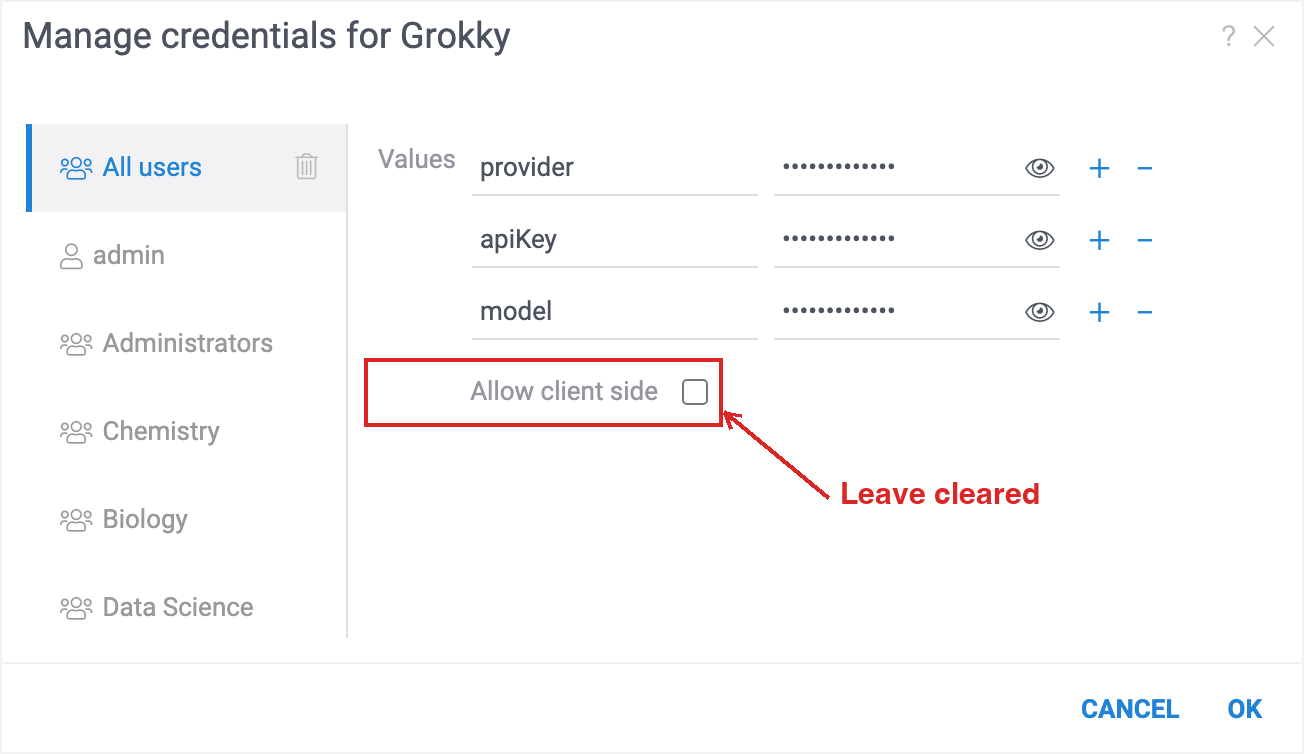
Each group can have its own provider, key, and model. To set them:
- Go to Browse > Platform > Plugins.
- Right-click Grokky and select Credentials....
- Select All users or a group.
- Enter
apiKey,model, and the values your provider needs. - Clear Allow client side and click OK.
Users get the new credentials when they reload the page.
Providers
Every provider needs apiKey and model, the model ID as the provider names it. Set provider to
the name in the table. Without it, Grokky uses Anthropic. To learn how to get a key and a model
ID, follow the link.
| Provider | Also needs |
|---|---|
| Anthropic | Nothing else |
| OpenAI | baseUrl, only for a data residency project |
| OpenRouter | Nothing else |
| Azure | baseUrl: your Azure resource |
| Bedrock | region: the AWS region of the key |
| Databricks | baseUrl: your workspace |
| Custom | baseUrl and apiFormat |
For Custom, set apiFormat to anthropic-messages, openai-responses, or
openai-chat-completions. For Databricks, you can also set service to call the model through a
model service.
Usage and cost
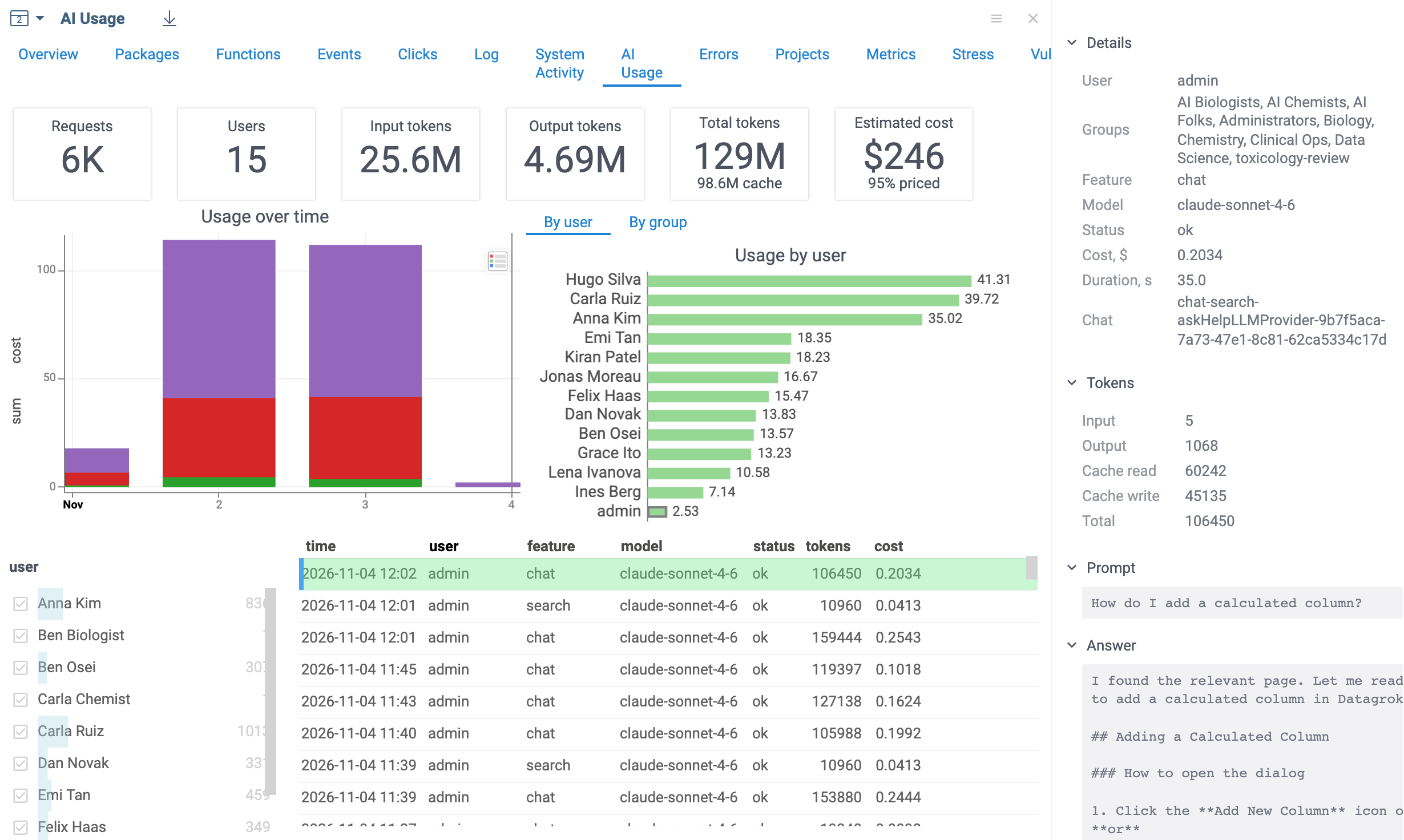
Datagrok records every AI request: who sent it, from which feature, on which model, the tokens it used, its estimated cost, and whether it succeeded. The AI Usage dashboard shows them, so you can track spending, spot heavy users, and find failed requests.
To open the dashboard, go to Browse > Platform > Admin > Usage Analysis and select the AI Usage tab. To see a request's prompt, answer, and tool calls, click it in the grid.
What Datagrok logs
By default, Datagrok saves the text of each prompt and tells users about it in the AI panel. It doesn't save answers or tool calls. To change this for a group, open the Grokky plugin's settings in the Context Panel and set:
- Log prompts
- Log responses
- Log tool calls
Datagrok always records usage, tokens, and cost.