Supported info panes
Learn about info panes here.
Developers: You can create custom info panes
Tabular data
The following info panes appear by default when working with tabular data.
Many advanced info panes come from optional
PowerGrid
and PowerPack
packages, which we recommend for installation.
| Info pane | Input | Required plugin |
|---|---|---|
ActionsLists available actions (subject to permissions) | table, column, row, selection, current object | -- |
Table
| Info pane | Required plugin |
|---|---|
DevProvides access to documentation, class references, and code snippets for the current object. It also has an editor with template scripts for common actions related to the objectLearn more | Power Pack |
GeneralShows basic metadata, such as number of rows, columns, source, etc. | -- |
ColumnsShows all table columns as clickable links, enabling navigation to individual column info panes | -- |
ModelsShows relevant models for your dataset (created by you or shared by others). From here, you can manage or train models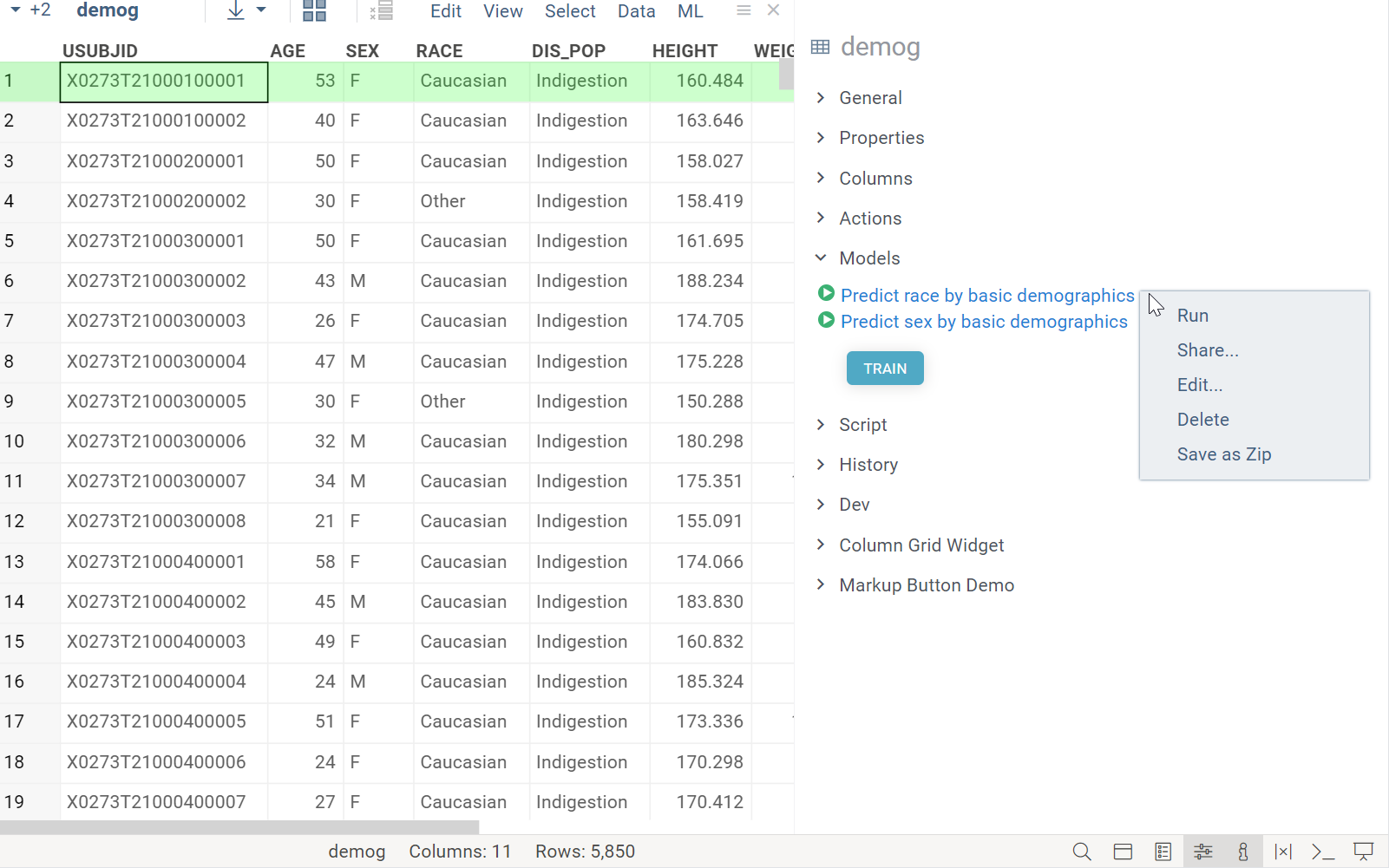 | -- |
HistoryShows the history of actions performed on the table | -- |
Column
| Info pane | Required plugin |
|---|---|
DetailsShows column properties and summary statistics or distributions for the column's data | -- |
FilterQuick access to a column's filter | -- |
ColorsColor code a column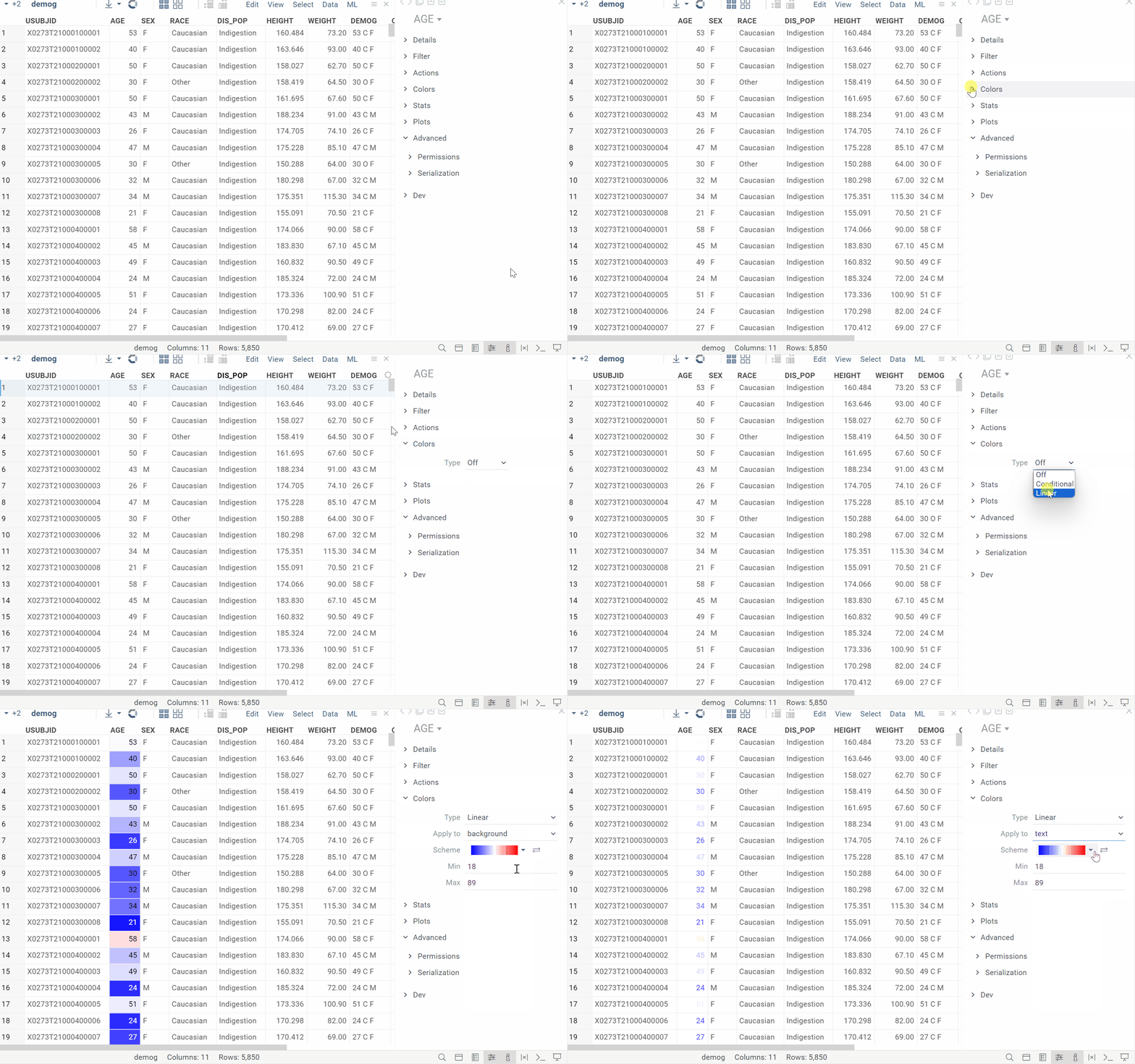 | PowerGrid |
StatsShows summary statistics for a column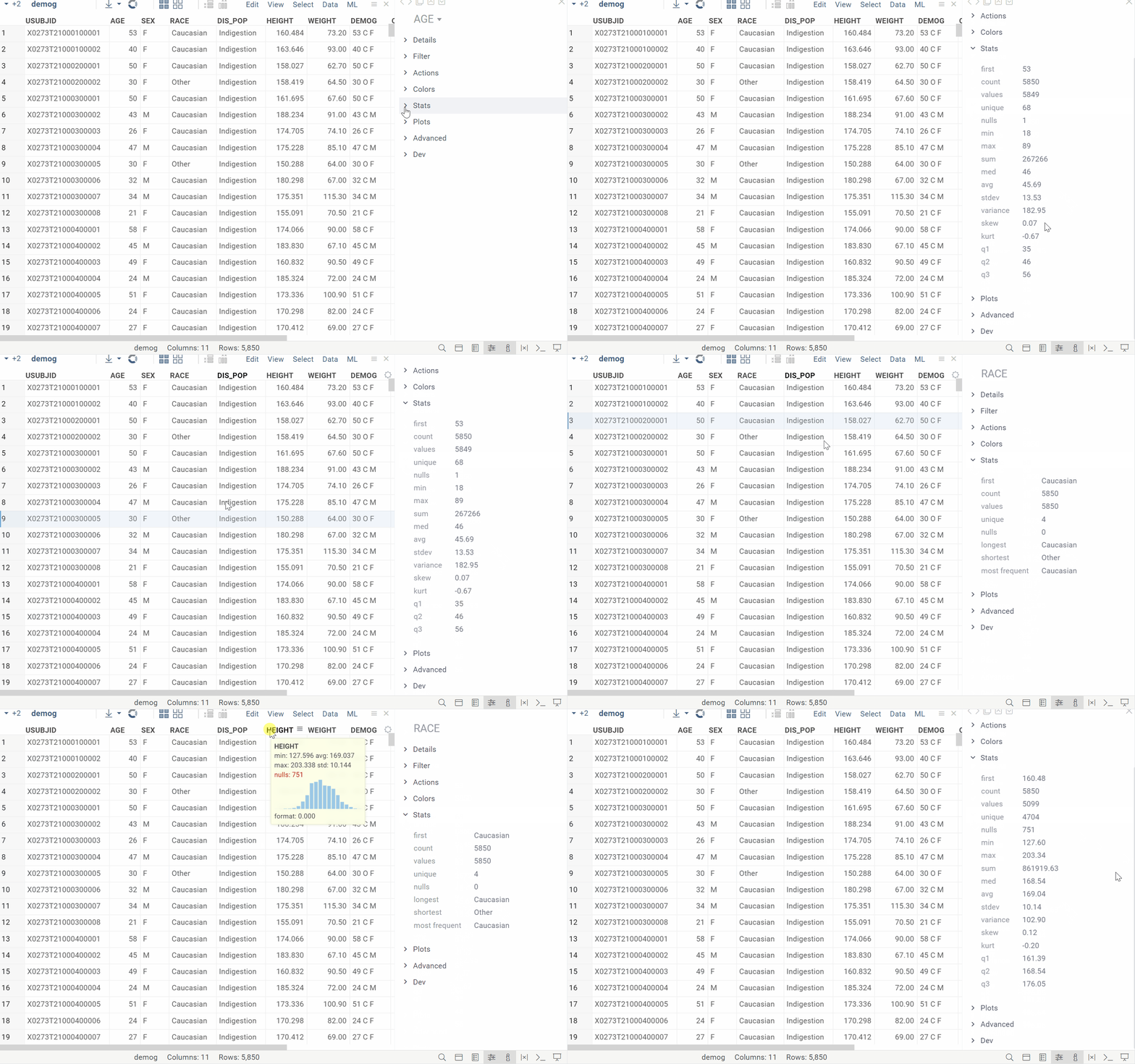 | PowerGrid |
PermissionsSpecify who can edit a column | -- |
PlotsVisualizes selected columns for quick profiling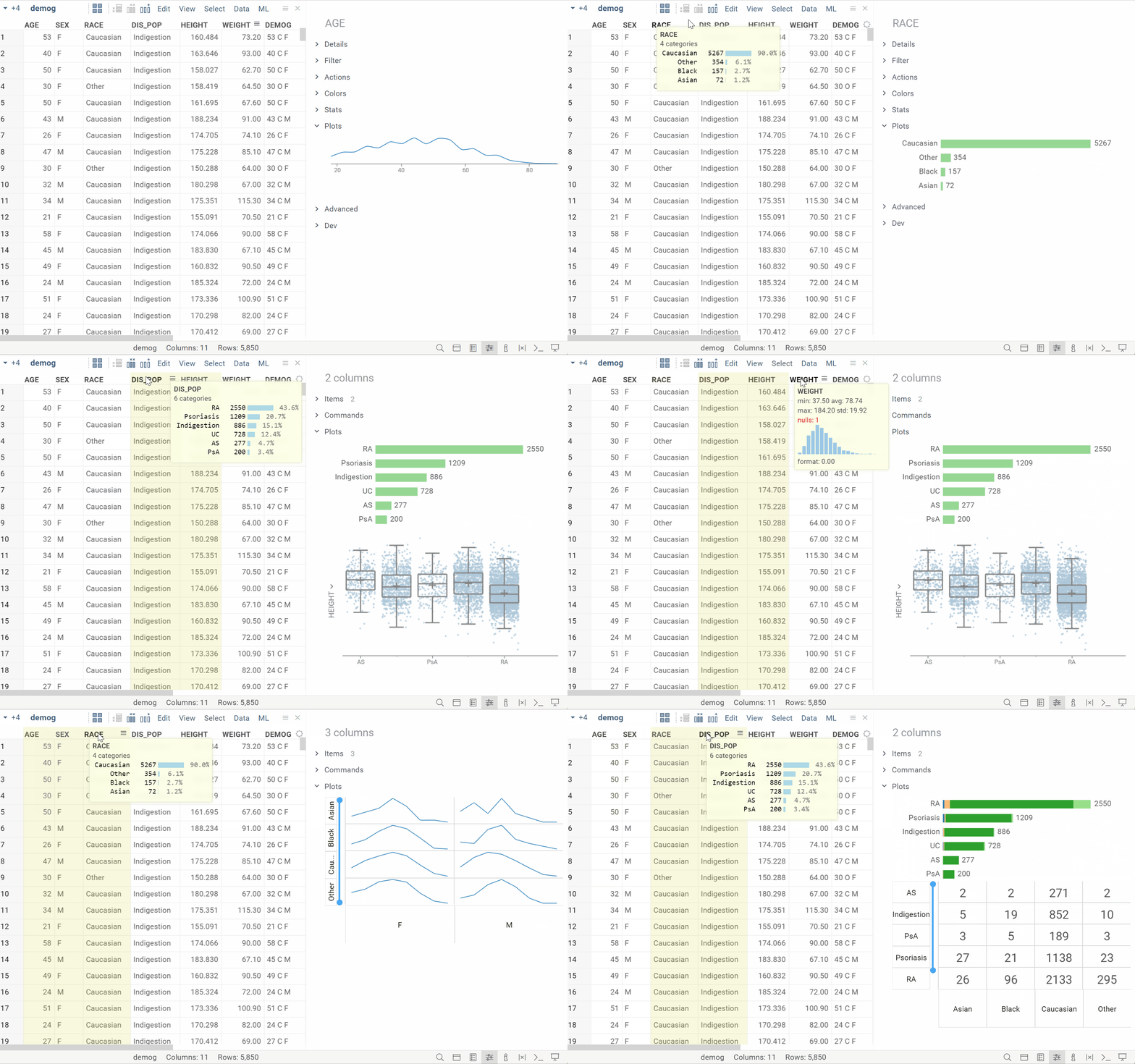 | PowerGrid |
Row
| Info pane | Required plugin |
|---|---|
DistributionsShows distributions for numerical columns based on selected rows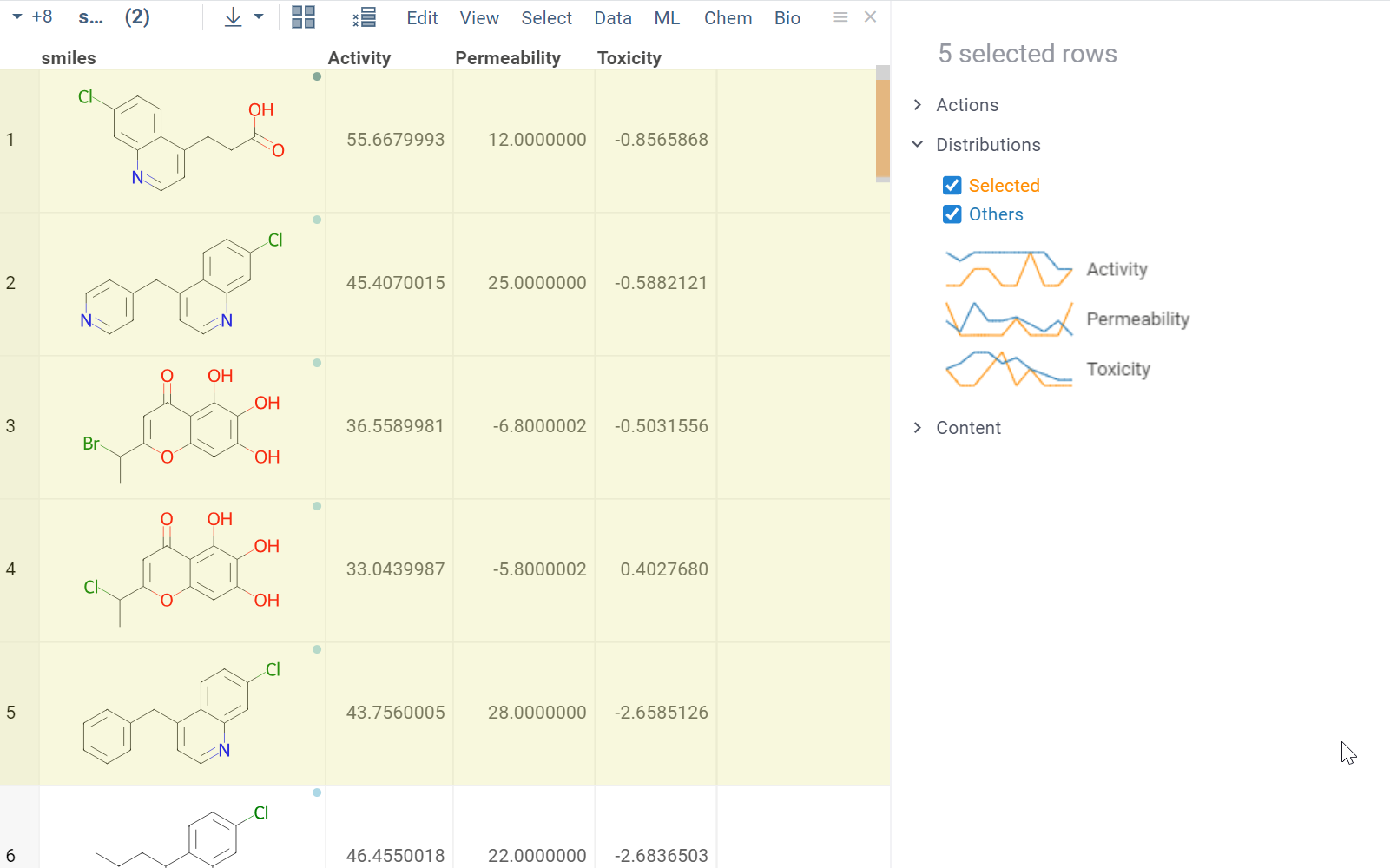 | PowerGrid |
ContentShows details for selected rows in a spreadsheet format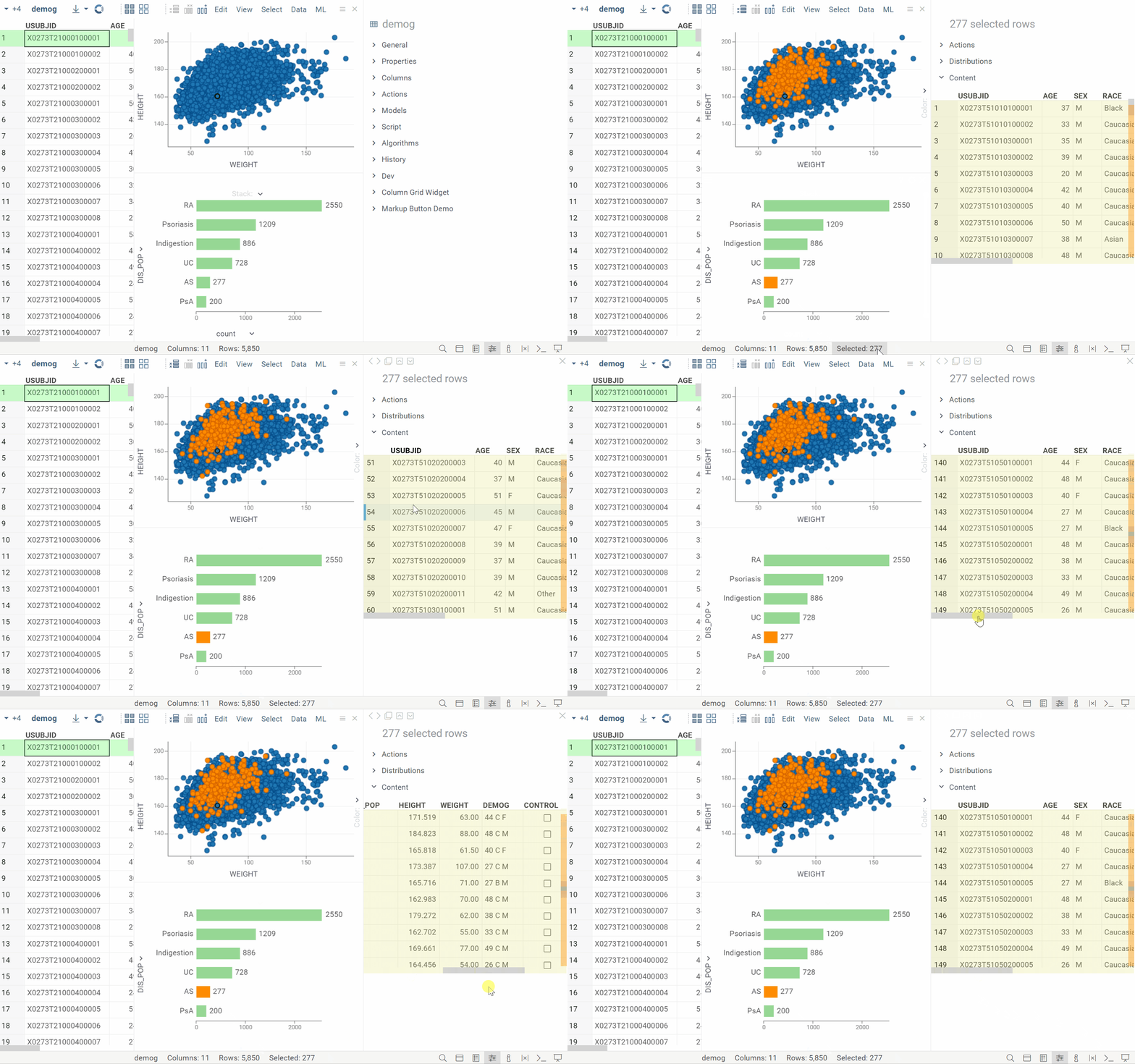 | PowerGrid |
Current object
| Info pane | Required plugin |
|---|---|
Sticky metaShows metadata for the current object. Learn more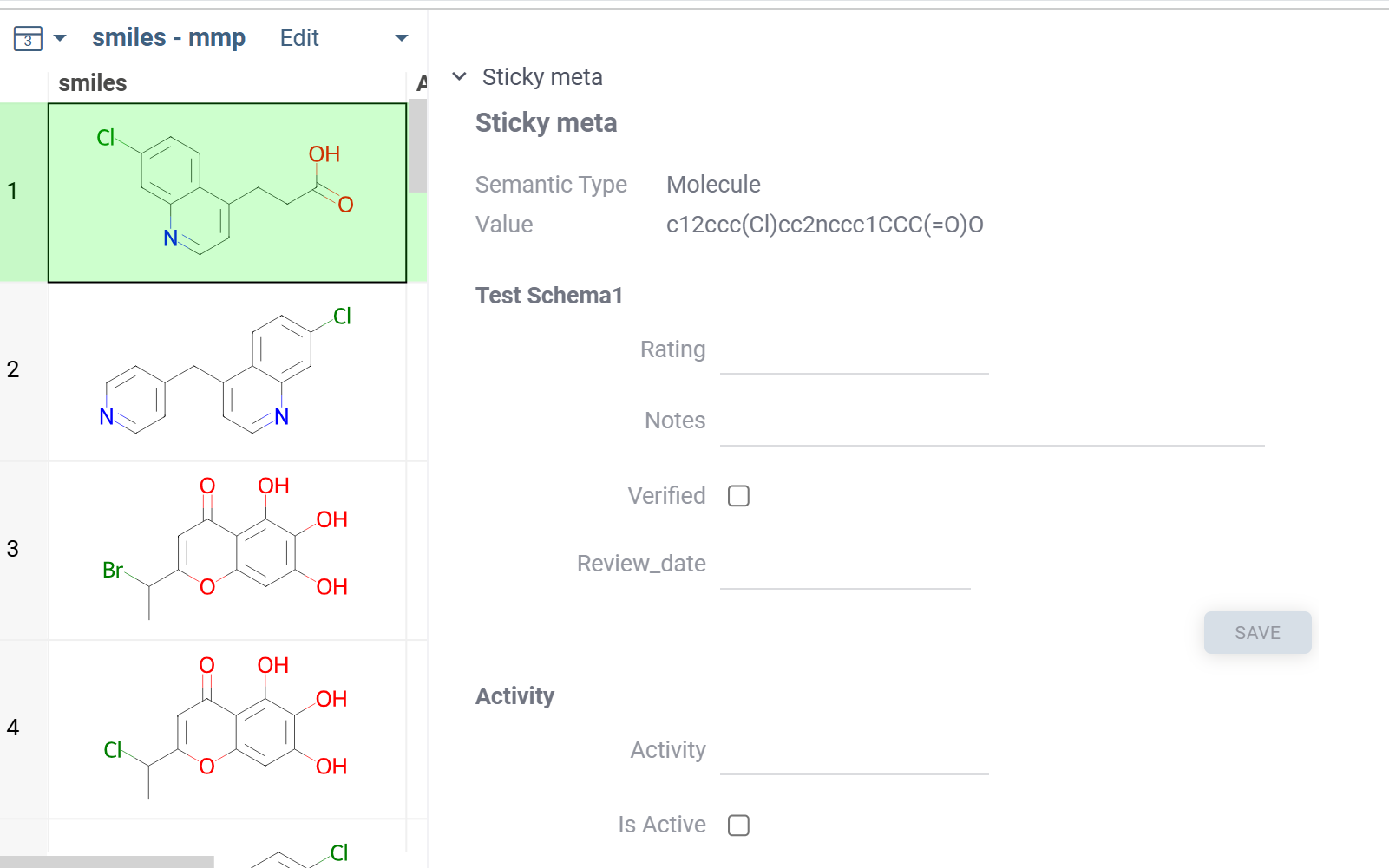 | PowerGrid |
Domains
Chem
Structure and visualization
| Info pane | Semantic type | Required plugin |
|---|---|---|
3D StructureShows an interactive 3D view of the molecule | Molecule | Chem |
2D StructureShows a 2D view of the molecule | Molecule | Chem |
MixtureMixture components and their properties (structure, name, relation, etc.) in a tabular format (can be opened as its own view) | ChemicalMixture | Chem |
Mixture TreeHierarchical visualization of mixture composition (Mixfile format) | ChemicalMixture | Chem |
RetrosynthesisThe most efficient synthetic pathways and commercially available starting materials for target molecule (based on AiZynthFinder) 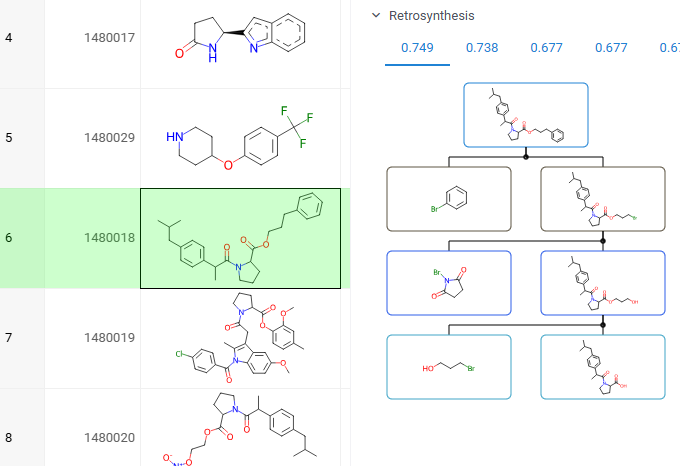 | Molecule | Retrosynthesis |
Properties and descriptors
| Info pane | Semantic type | Required plugin |
|---|---|---|
Gasteiger Partial ChargesRDKit-based script | Molecule | Chem |
DescriptorsThe following descriptors are shown by default: FractionCSP3, HeavyAtomCount, NHOHCount. To calculate other descriptors, click the SELECT button and choose from the list | Molecule | Chem |
PropertiesMolecular properties (formula, weight, LogP, etc.) | Molecule | Chem |
IdentifiersIdentifiers (SMILES, InChi, ChEMBL ID, etc.) | Molecule | Chem |
ADMET / safety
| Info pane | Semantic type | Required plugin |
|---|---|---|
AdmeticaCalculates ADMET. In addition, the Summary info pane visualizes ADMET in a pie chart | Molecule | Admetica |
Drug likenessCalculates drug likeness and displays the results | Molecule | Chem |
Structural alertsCalculates and displays structural alerts | Molecule | Chem |
ToxicityCalculates toxicity and displays the results | Molecule | Chem |
Docking and modeling
| Info pane | Semantic type | Required plugin |
|---|---|---|
AutoDockDisplays docking results for molecules that have undergone AutoDock analysis | Molecule | Docking |
DiffDockProvides an interactive interface for running molecular docking using NVIDIA's DiffDock model | Molecule | |
Protein-Ligand InteractionsShows the interactions between a ligand and the protein residues as an interactive diagram | Molecule3D, PDB_ID | BiostructureViewer |
Data access and lookup
Databases
Depending on the installed plugins, you can search by substructure and/or similarity.
| Info pane | Semantic type | Required plugin |
|---|---|---|
ChEMBL | Molecule | ChEMBL or ChEMBL API |
DrugBank | Molecule | DrugBank |
PubChem | Molecule | PubChem |
ChemspaceInterface for searching and ordering compounds from Chemspace | Molecule | Chemspace |
SureChEMBLShows patent information for target molecule | Molecule | SureChEMBL |
Compound registration systems and ELNs
| Info pane | Semantic type | Required plugin |
|---|---|---|
CDD VaultShows vault data for the current molecule | Molecule | CDD Vault Link |
Bio
Properties and composition analysis
| Info pane | Semantic type | Required plugin |
|---|---|---|
| Properties Basic properties (formula, molecular weight, extinction coefficient) | Macromolecule | Bio |
| Composition analysis Shows a visual breakdown of a macromolecule’s monomer composition, showing each monomer’s percentage as colored bars representing relative abundance | Macromolecule | Bio |
Molecular properties of macromolecule
This pane is automatically populated with the generated molecule. It provides a quick way to inspect the molecular properties of the macromolecule. Works for macromolecules with up to 50 monomers.
| Info pane | Semantic type | Required plugin |
|---|---|---|
| Molecular structure Shows a 2D view of the macromolecule | Macromolecule | Bio |
| Molecular 3D structure Interactive 3D visualization of macromolecule | Macromolecule | Bio |
Data access and lookup
Databases
Depending on the installed plugins, you can search by substructure and/or similarity.
| Info pane | Semantic type | Required plugin |
|---|---|---|
ChEMBL | Molecule | ChEMBL or ChEMBL API |
DrugBank | Molecule | DrugBank |
PubChem | Molecule | PubChem |
ChemspaceInterface for searching and ordering compounds from Chemspace | Molecule | Chemspace |
SureChEMBLShows patent information for target molecule | Molecule | SureChEMBL |
Compound registration systems and ELNs
| Info pane | Semantic type | Required plugin |
|---|---|---|
CDD VaultShows vault data for the current molecule | Molecule | CDD Vault Link |
ADMET / safety
| Info pane | Semantic type | Required plugin |
|---|---|---|
AdmeticaCalculates ADMET. In addition, the Summary info pane visualizes ADMET in a pie chart | Molecule | Admetica |
Drug likenessCalculates drug likeness and displays the results | Molecule | Chem |
Structural alertsCalculates and displays structural alerts | Molecule | Chem |
ToxicityCalculates toxicity and displays the results | Molecule | Chem |
Docking and modeling
| Info pane | Semantic type | Required plugin |
|---|---|---|
AutoDockDisplays docking results for molecules that have undergone AutoDock analysis | Molecule | Docking |
DiffDockProvides an interactive interface for running molecular docking using NVIDIA's DiffDock model | Molecule | |
Protein-Ligand InteractionsShows the interactions between a ligand and the protein residues as an interactive diagram | Molecule3D, PDB_ID | BiostructureViewer |
Properties and descriptors
| Info pane | Semantic type | Required plugin |
|---|---|---|
DescriptorsThe following descriptors are shown by default: FractionCSP3, HeavyAtomCount, NHOHCount. To calculate other descriptors, click the SELECT button and choose from the list | Molecule | Chem |
PropertiesMolecular properties (formula, weight, LogP, etc.) | Molecule | Chem |
IdentifiersIdentifiers (SMILES, InChi, ChEMBL ID, etc.) | Molecule | Chem |
Structure and visualization
| Info pane | Semantic type | Required plugin |
|---|---|---|
3D StructureShows an interactive 3D view of the molecule | Molecule | Chem |
2D StructureShows a 2D view of the molecule | Molecule | Chem |
RetrosynthesisThe most efficient synthetic pathways and commercially available starting materials for target molecule (based on AiZynthFinder) | Molecule | Retrosynthesis |