Pivot table
Aggregate and summarize your data using a pivot viewer.
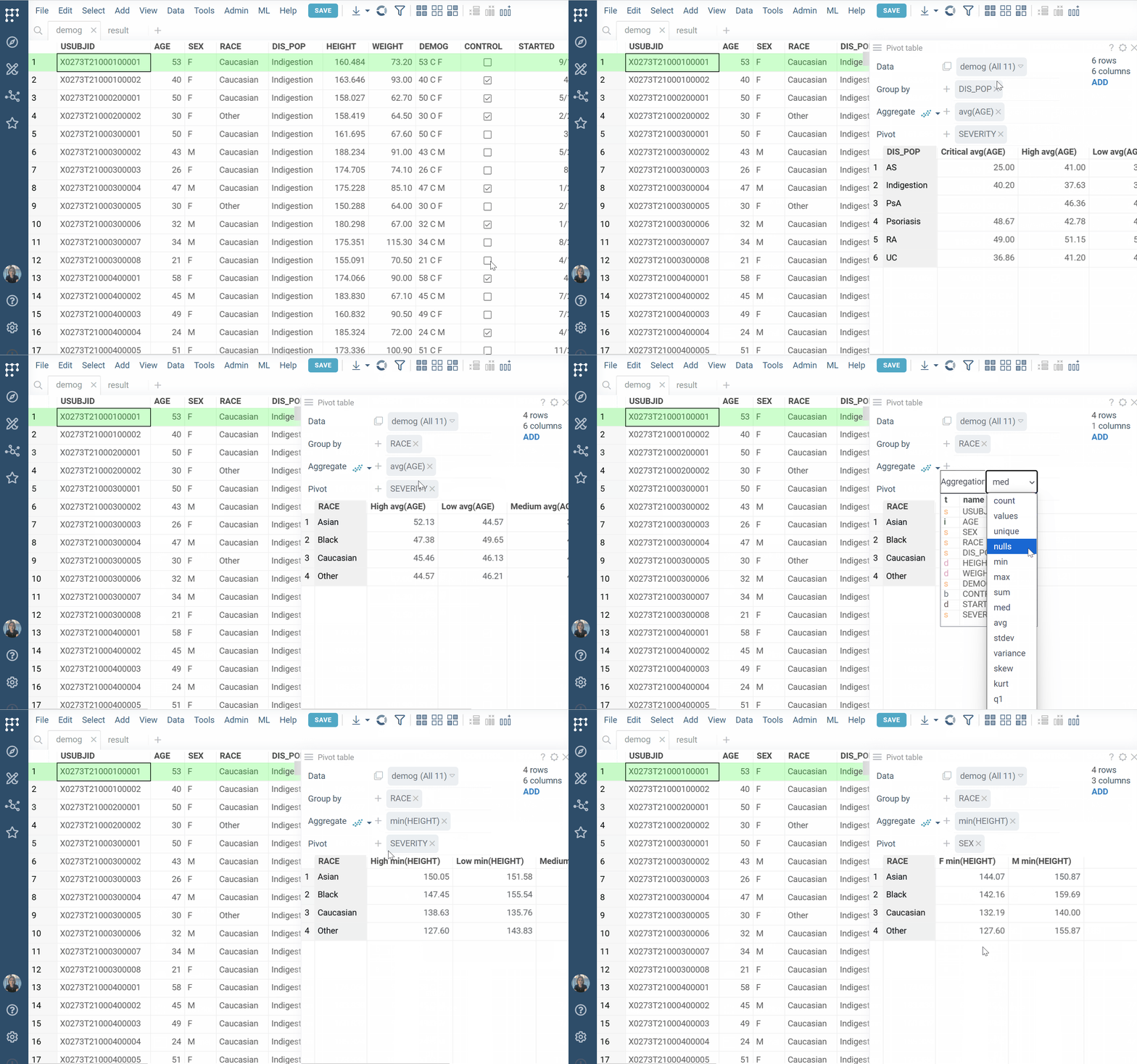
To add the pivot viewer, click the Top Menu, click the Add a viewer
( ) icon and select
Pivot Table from the viewer options. The pivot table is added to the view.
) icon and select
Pivot Table from the viewer options. The pivot table is added to the view.
To configure your pivot table, use these fields:
- Group by: Choose one or more columns to group rows
- Aggregate: Choose both
- An aggregation function (e.g.,
sum,count,avg) - A column to aggregate (e.g.,
avg(AGE))
- An aggregation function (e.g.,
- Pivot: Select one or more columns whose unique values will become columns in the pivot table
For general viewer controls and interactions, see the Table View page.
See also: